
Colorectal cancer screening indicators
Screening indicators
 To enlarge an individual chart, hover over it and click the “Focus mode” icon at the top right of the chart. To go back to the rest of the dashboard, click “Back to report.”
 To enlarge the entire dashboard, click “Full Screen” at the bottom right of the dashboard. To exit the full screen, either press the ESC key on your keyboard, or click “Exit Fullscreen” at the bottom right.
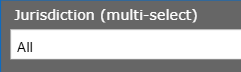 To compare data between provinces, open the “Jurisdiction (multi-select)” dropdown, and check off the desired provinces. To go back to seeing all provinces, open the dropdown again, and click “Select all.”